The software running on your dedicated node

Your dedicated trading node, running OHLCX Light 24/7

Every Dedicated Trading Node comes with OHLCX Light installed and connected to your Schwab™ account. Portfolio monitoring, order management, and automated exits keep running even when your computer is off.

  • Connects to Charles Schwab
  • Isolated AWS instance
  • Online 24/7
  • Nothing to code or host
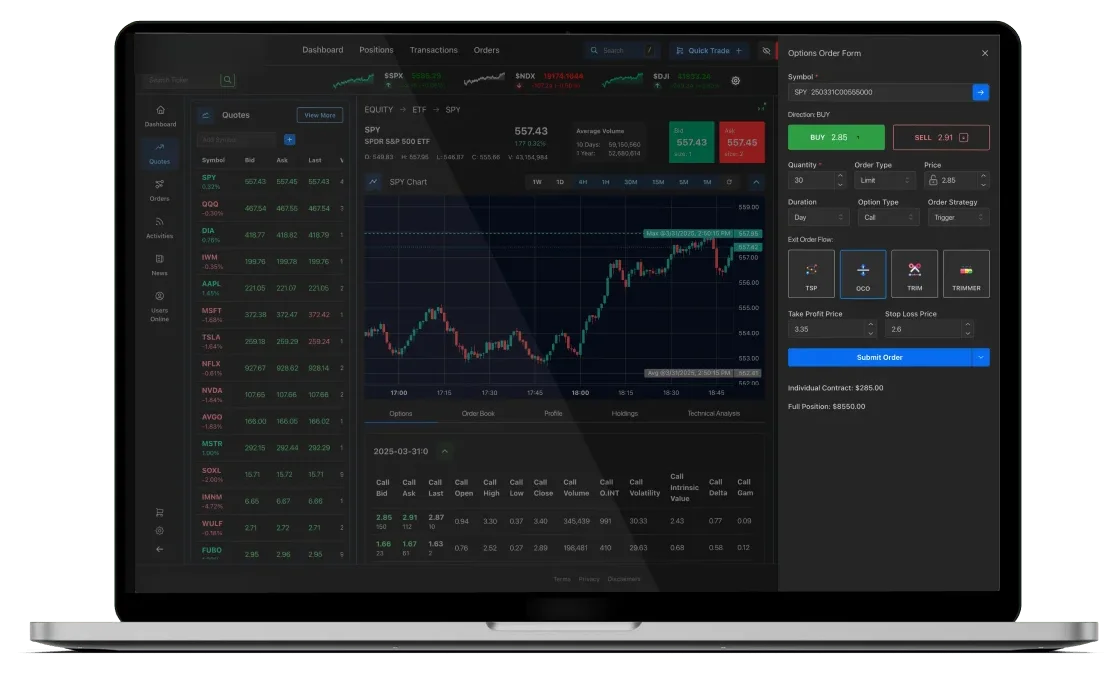
OHLCX Light trading dashboard and options order form, shown on a laptop
The short version

What is a Dedicated Trading Node?

A Dedicated Trading Node is a private, always-on environment for OHLCX Light. Instead of running on your own computer, the app runs on infrastructure provisioned for your account alone, so it stays online whether your laptop is open or not. Each node also has its own management dashboard for configuration, health monitoring, and lifecycle controls.

In short: OHLCX Light is the trading application. The Dedicated Trading Node is the infrastructure it runs on.

Dedicated Trading Node

The infrastructure

OHLCX Light

The trading app
Portfolio Orders Exit flows Hotkeys
Isolated AWS instance Own database Own subdomain Node dashboard

Your Charles Schwab account

Funds stay at Schwab
See the platform

Charts, orders, and your whole portfolio

Six chapters, built entirely from real screens - no mockups, no AI-generated UI.

platform-showcase
Is this for you?

Who a Dedicated Node fits

Common reasons traders choose a Dedicated Trading Node over the shared platform.

You trade with Charles Schwab and want your setup running 24/7

If your exit flows and order management depend on a laptop staying open, a node keeps them running whether you're at your desk or not.

You want isolation, not shared infrastructure

Your own AWS instance, database, and subdomain - isolated by design, not shared with other customers.

You want exit-flow automation without writing code

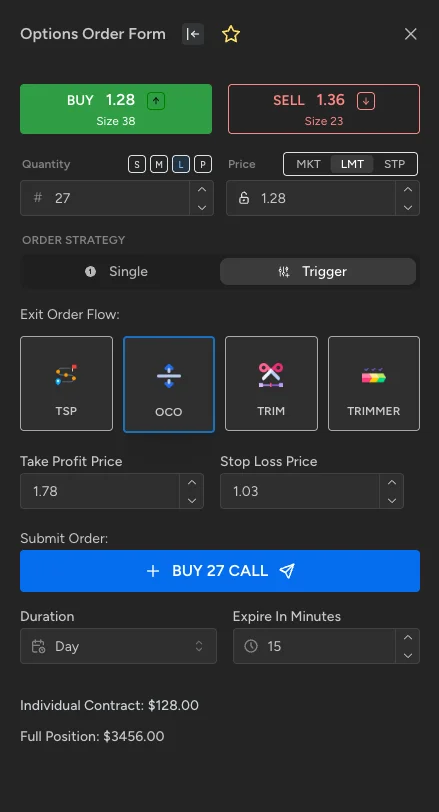
Trim, OCO, OTOCO, and trailing-stop exits are built into the order form. Point and click - no strategy script to maintain.

You'd rather not manage AWS yourself

Hosting, backups, updates, and health monitoring are handled for you. You provision and control the node from a dashboard, not a terminal.

Inside the app

What OHLCX Light gives you

Every node runs the full OHLCX Light app. Here's what it looks like in practice - select any screen to explore 26 of them up close.

Dashboard & portfolio

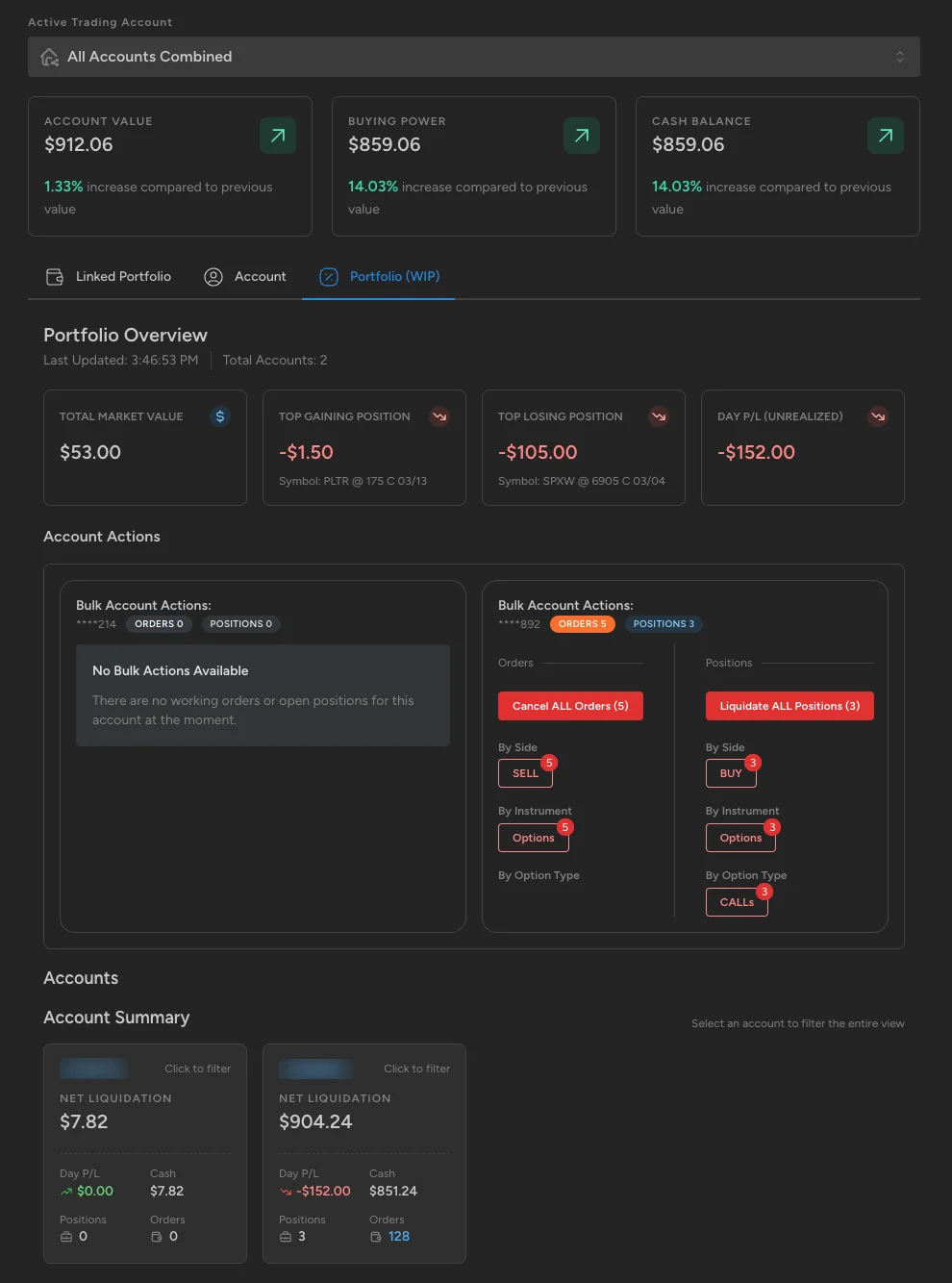
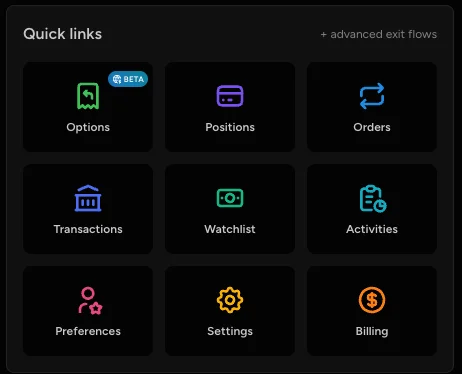
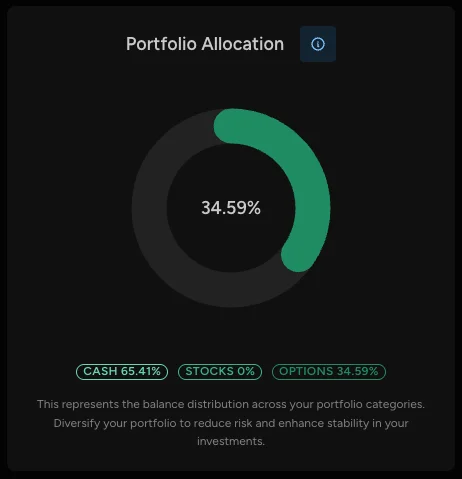
Your dashboard is the first screen after you log in, and it updates live from your Schwab account. Account value, buying power, and cash balance sit at the top, alongside a breakdown of how your portfolio is split across cash, stocks, and options. If you have more than one Charles Schwab account linked, switch between them or view them all combined. Quick links take you straight to options, positions, orders, and your watchlist.

Browse all 5 screens of Dashboard & portfolio

Order entry & exit-flow automation

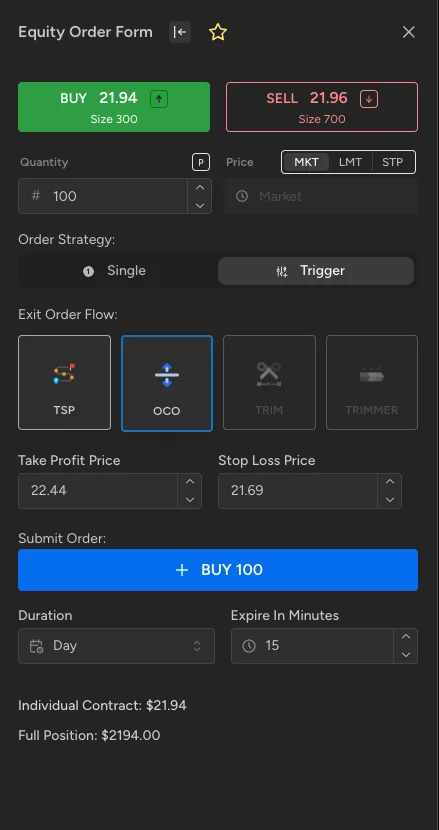
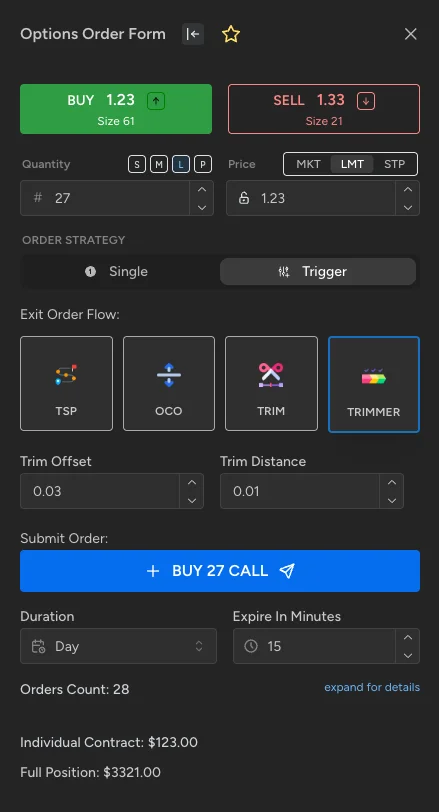
Place market, limit, and stop orders on equities and options, with size presets for fast entry. Switch the order to a trigger strategy and the same form attaches your exit plan - a trailing stop, OCO, OTOCO, or Trim - so entry and exit are set up together instead of managed by hand afterward. When you need to step back, bulk actions cancel every working order or close every open position at once, filtered by side, instrument, or option type.

Browse all 6 screens of Order entry & exit-flow automation
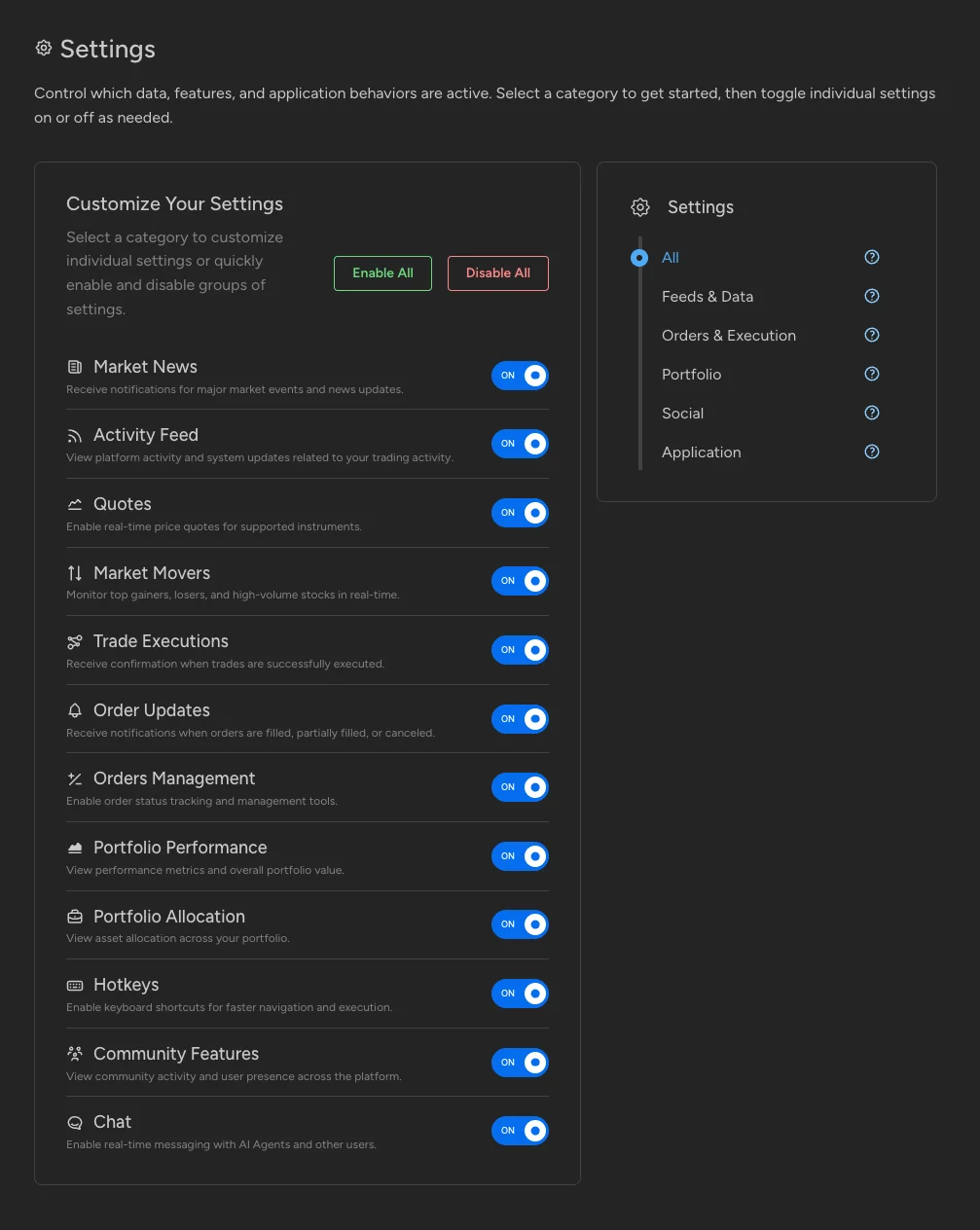
Open Settings in screenshot viewer: OHLCX Light settings page with every category toggled on

Settings

Decide which data feeds, notifications, and features are active. Settings are grouped into categories - Feeds & Data, Orders & Execution, Portfolio, Social, and Application - so it's easy to find things like market news, real-time quotes, trade confirmations, and order-fill alerts. Toggle each one individually, or turn everything on or off at once.

Browse 4 screens of Settings
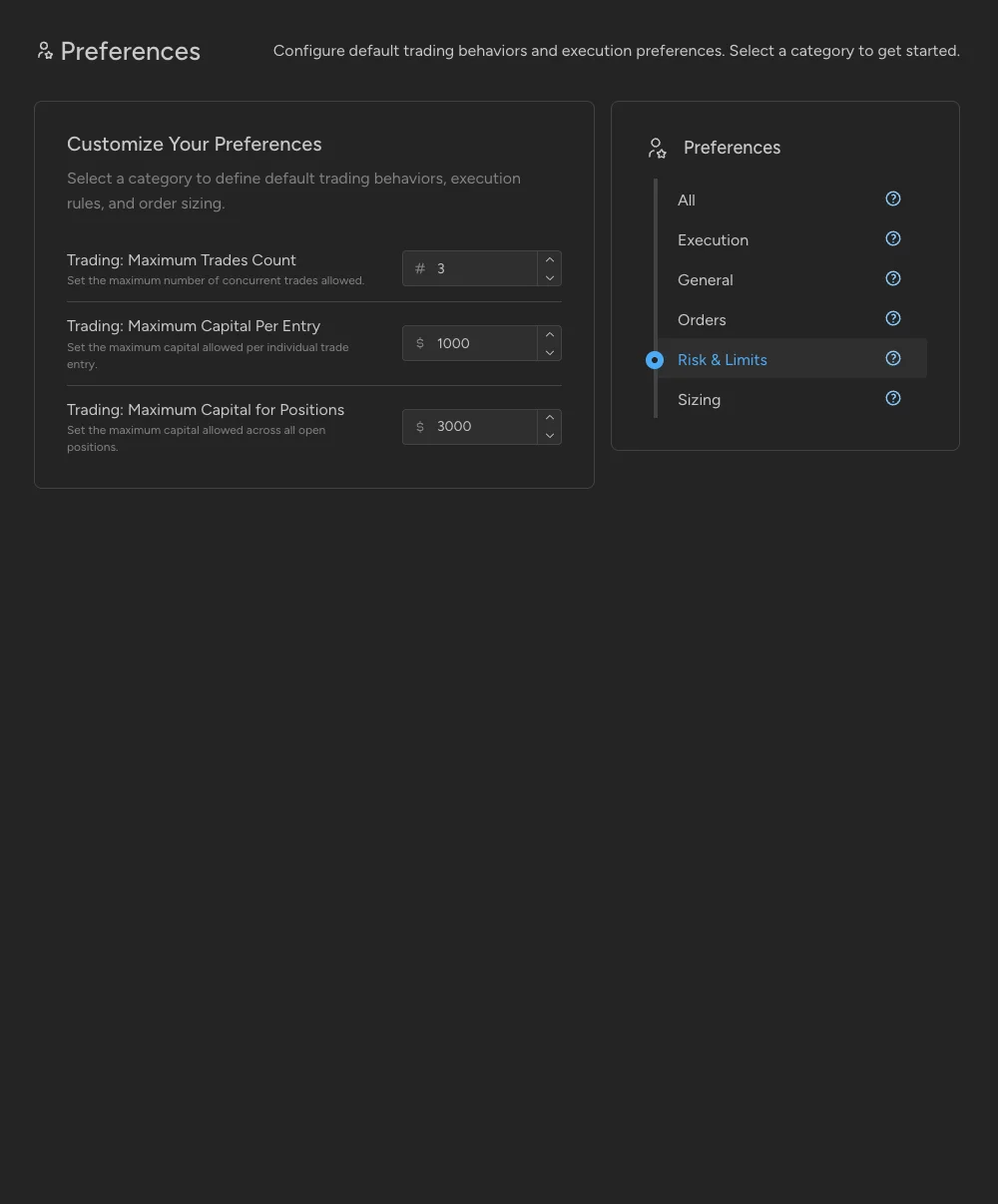
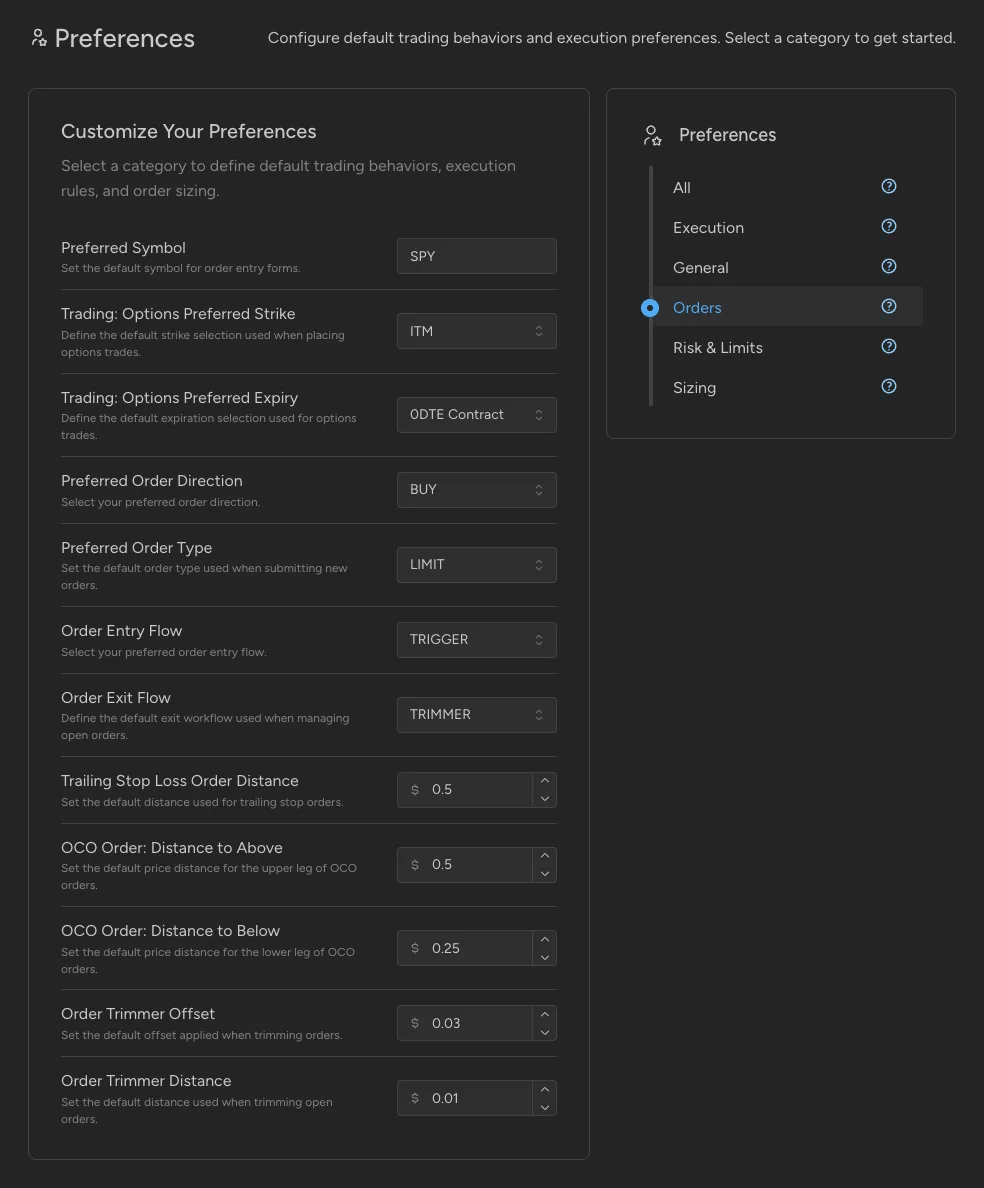
Open Preferences in screenshot viewer: OHLCX Light risk and limits preferences for maximum trades and capital

Preferences

Set your default trading behavior once instead of on every order. Turn on one-click trading to skip the confirmation step, and choose display options like audio alerts or hiding your account balance. Risk limits let you cap how many trades run at once, how much capital goes into a single entry, and how much you can have committed across all open positions.

Browse 4 screens of Preferences
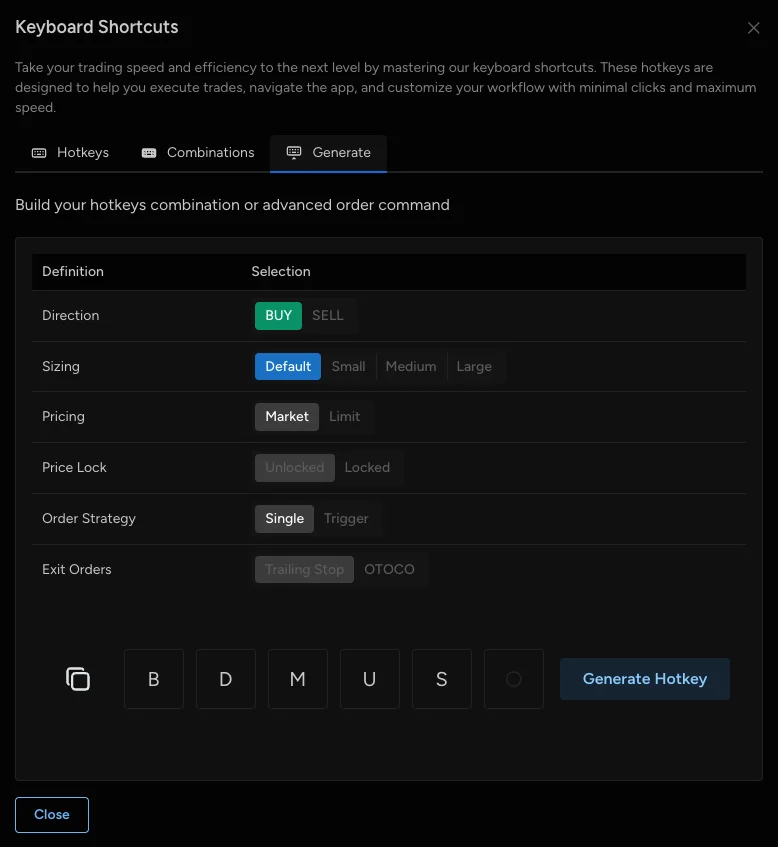
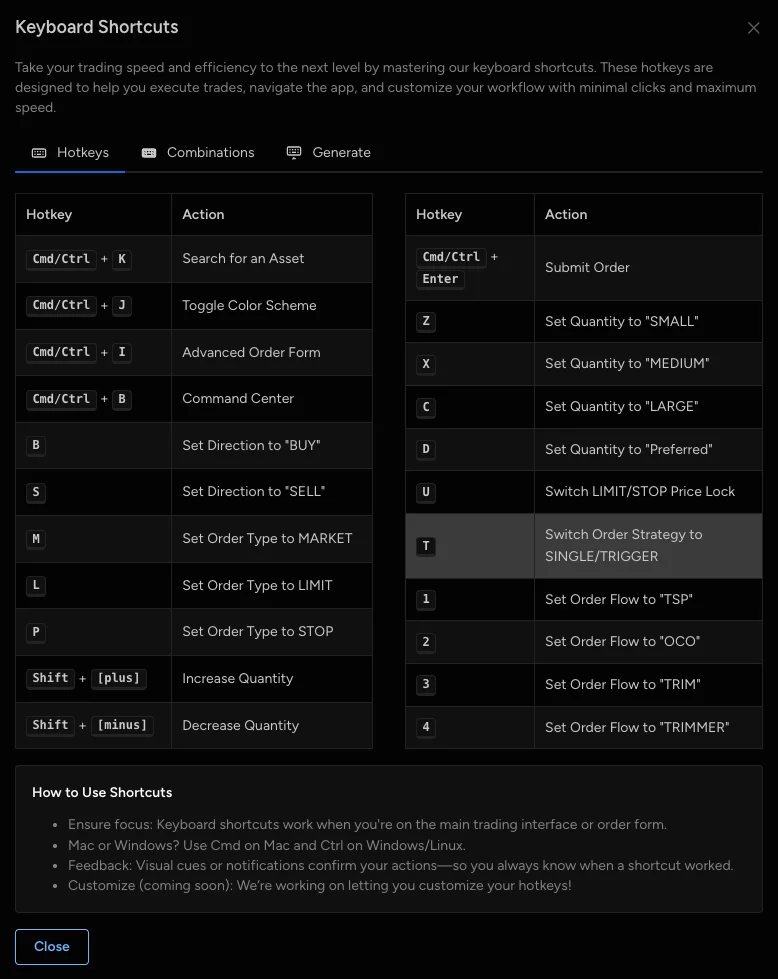
Open Hotkeys in screenshot viewer: OHLCX Light custom hotkey generator

Hotkeys

Trade and navigate from the keyboard. Built-in shortcuts cover navigation and order entry, and key combinations turn a complete trade into a few keystrokes - a buy at a preset size, at market or limit, with a trailing stop, OCO, or Trim exit already attached. The hotkey generator builds new combinations for you: pick the direction, size, pricing, and exit, and it gives you the keys.

Browse 3 screens of Hotkeys

Want every detail? The complete feature list, with every order type and exit flow itemized, lives at ohlcx.com.

Beyond the app itself

Your node, not just an app

Alongside OHLCX Light, every node gets a second, smaller dashboard for managing the dedicated instance itself.

Three tabs, one node

Everything you need to keep the node running, in one place.

  • Details - size, region, hostname, and latest health check
  • Settings - app name, Schwab connection, and notification webhook
  • History - a running log of every change and event

Full lifecycle control, no ticket required

Stop your node and it stays provisioned, ready to restart. Terminate it and the infrastructure is torn down for good. Either way, it's one button on the node's action bar - no support ticket.

active

Connecting Schwab, on your own subdomain

Your node creates its own OAuth callback URL on its subdomain as soon as it's provisioned, so there's nothing to configure by hand. Your Schwab Client Key and Secret are stored on your node and never leave it.

One plan, everything in it

What's included in a Dedicated Trading Node

The software, the infrastructure it runs on, and the operations behind it - one monthly price, no separate hosting bill.

Dedicated Trading Node (Light)

$499 /month

The one-time $500 setup fee is waived during early access. Cancel anytime from your dashboard.

Included

  • Full OHLCX Light app (Light tier)
  • Trim, OCO, OTOCO, and trailing-stop exits
  • Dedicated AWS instance
  • Dedicated database
  • Your own subdomain and SSL certificate
  • Charles Schwab connection via Schwab's official API
  • Node dashboard - details, settings, and history
  • Start, stop, and terminate controls
  • Hosting, backups, and updates
  • Health monitoring

Not included: Pro-tier automation tools (Strategy Builder, Signals, and the AI Agent) - compare Light vs. Pro.

Optional add-on: Dedicated Account Manager (+$299/mo)

See it in motion

Watch a Dedicated Trading Node go live

The whole flow in under a minute, from checkout to trading inside OHLCX Light.

  1. 1 Subscribe to a Dedicated Trading Node
  2. 2 Provision your node
  3. 3 Connect your Charles Schwab account
  4. 4 Start trading in OHLCX Light

Full setup walkthrough →

setup-walkthrough
FAQ

Dedicated Trading Node questions

Still deciding? The setup guide covers every step, and support can answer the rest.

A Dedicated Trading Node is an isolated environment that runs OHLCX Light around the clock. It includes the trading app plus a separate dashboard for managing the node itself: configuration, health monitoring, and start, stop, and terminate controls.
OHLCX Light is the trading application that runs on every Dedicated Trading Node. It covers portfolio monitoring, order management, and automated exit flows: Trim, OCO, OTOCO, and trailing stops.
Yes. Each node connects directly to your own Schwab account through Schwab's official trading API, and creates its own OAuth callback URL automatically when it's provisioned.
Yes - that's the point of a Dedicated Trading Node. OHLCX Light runs on the node, not your personal computer, so it stays online whether your laptop is open or not.
Every node includes the full OHLCX Light tier: dashboard, order management, and Trim, OCO, OTOCO, and trailing-stop exit flows. Pro-tier automation tools (Strategy Builder, Signals, and the AI Agent) aren't included. See ohlcx.com/licensing for the full tier breakdown.
Everything needed to run OHLCX Light on your own infrastructure: the full Light-tier app, a dedicated AWS instance and database, your own subdomain and SSL certificate, the Schwab API connection, hosting, backups, updates, health monitoring, and the node management dashboard. There's no separate hosting bill. The one-time $500 setup fee is currently waived as part of our early access offer.
No. A Dedicated Trading Node runs OHLCX Light on infrastructure dedicated to you. OHLCX Pro is a separate software tier with additional automation tools. See ohlcx.com/features and ohlcx.com/licensing for the current feature and pricing breakdown.

Ready to run OHLCX Light on dedicated infrastructure?

A Dedicated Trading Node keeps OHLCX Light online and connected to your Schwab™ account, all managed from the OHLCX Nodes dashboard.

Disclaimer: OHLCX provides execution and order-management technology only. We are not a registered broker-dealer or investment adviser and do not provide investment advice, manage funds, or custody assets. Nothing on this page is a solicitation or recommendation to buy or sell any security. Information is for general informational purposes only and is not tailored investment advice. Trading securities and options involves substantial risk of loss; past performance is not indicative of future results. OHLCX Technologies LLC is not affiliated with, endorsed by, or sponsored by Charles Schwab & Co., Inc. Schwab is a trademark of its respective owner. Schwab's own developer portal and API may change without notice. See our full disclaimers for details.